


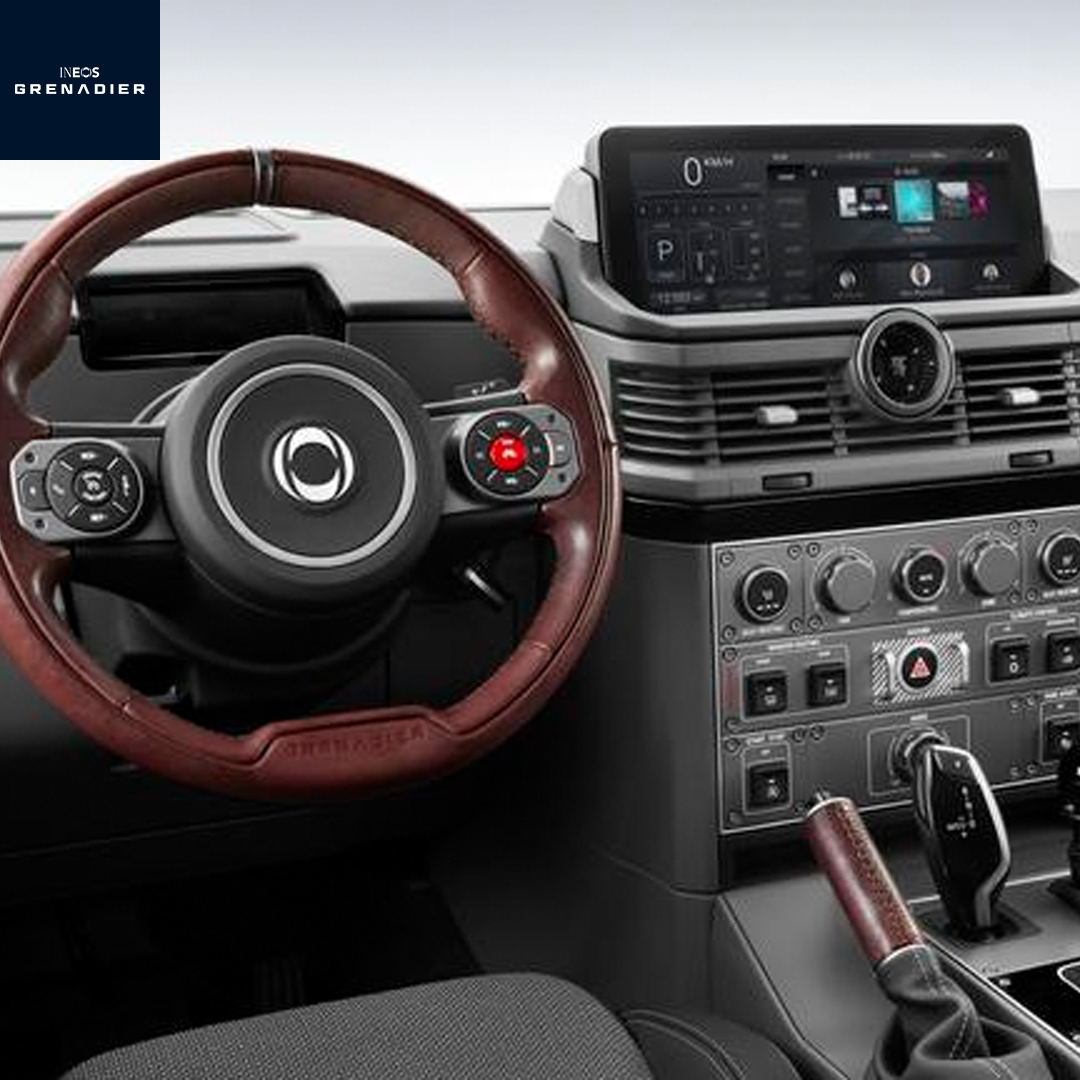
If your INEOS Grenadier displays a “Speed Warning” message, it is coming from the Intelligent Speed Assist system, which monitors posted speed limits using cameras and map data and alerts you when you exceed them. The warning can include a visual notification or an audible chime, often referred to as the INEOS Grenadier speed limit beep. On 2026 models, the system features refined alert settings and touchscreen controls. While you can disable the INEOS speed warning or turn off ISA in your INEOS through the vehicle menu, some settings may reset after restarting.
At Regal INEOS Grenadier, we are proud to support drivers with everything from exploring the capable Grenadier lineup to helping you understand features like ISA and other advanced driver assistance systems. Our team is here to assist with sales, certified service, genuine parts, and software updates that keep your vehicle performing at its best. Contact us today or visit our dealership to get expert guidance tailored to your INEOS.
What Does “Speed Warning” Mean on Your 2026 INEOS Grenadier?
When your 2026 Grenadier displays a “Speed Warning” message, it is coming from the Intelligent Speed Assist system, or ISA. This feature monitors posted speed limits using a forward-facing camera and map data, alerting you whenever your vehicle exceeds the detected limit. It is not a sign of a mechanical problem, and it does not indicate an issue with the engine or transmission. In short, the Grenadier is helping you stay within legal speed limits and drive more safely.
How the System Detects Overspeed
The Speed Warning activates when the Grenadier determines your speed is above the posted limit. It does this by:
- Reading road signs through the forward-facing camera
- Cross-referencing speed data with the vehicle’s navigation maps
- Comparing the detected limit with your current speed
Even a few miles per hour over the limit can trigger a visual or audible alert. For example, when a speed limit suddenly drops on a local road, the system will notify you immediately to help prevent speeding violations.
What the Warning Looks and Sounds Like
The Grenadier’s Speed Warning can appear in two ways:
- A visual alert on the driver display indicating you are over the detected limit
- An audible tone, sometimes called the speed limit beep, that sounds when the limit is exceeded
For 2026 models, the chime has been refined to be softer and less intrusive, providing a helpful notice without being distracting.
Why the Speed Warning Exists
Intelligent Speed Assist is part of the Grenadier’s suite of Advanced Driver Assistance Systems, which includes features like Lane Departure Warning and Automatic Emergency Braking. These systems work together to keep drivers alert and promote safer driving habits. Many modern vehicles include some form of speed assistance to comply with updated safety regulations. The Speed Warning is designed to protect both the driver and others on the road while enhancing the overall driving experience.
Is the Alert a Problem?
No. A Speed Warning is not a fault code or system malfunction. It simply means the Grenadier detected that you are exceeding the speed limit. Some drivers may want a quieter experience, especially when driving in areas with frequent speed changes. In these cases, you may consider adjusting the settings to disable INEOS speed warning through the vehicle menu, though certain adjustments may reset after restarting the vehicle. If you want guidance on reviewing or personalizing your Grenadier’s ISA settings, the team at Regal INEOS Grenadier is ready to assist. Stop by or give us a call to make your daily drive safer and tailored to your preferences.
How Does Intelligent Speed Assist (ISA) Work in the Grenadier?
Intelligent Speed Assist, or ISA, is one of the core features that helps make the 2026 Grenadier both capable and safe on any road. It continuously monitors the speed limit using a combination of forward-facing cameras, GPS data, and high-quality maps. When the Grenadier detects that you are exceeding the limit, it alerts you with a visual display and an audible tone, often called the INEOS Grenadier speed limit beep. This system is designed to be intuitive. It reacts quickly to changing speed limits, such as when transitioning from a rural road to a local street or when encountering new construction zones. Many drivers notice the alert before they even realize their speed has increased, giving them a chance to adjust safely and avoid violations.
How ISA Detects Speed Limits
The Grenadier uses a layered approach to monitor your speed:
- Camera recognition: Reads posted speed limit signs as you drive
- GPS and map data: Compares your location and speed with the known limits in that area
- Cross-checking logic: Combines real-time camera input with map information to minimize errors
This combination allows the Grenadier to maintain accurate speed awareness even if a sign is partially obscured or missing. It is particularly useful in areas where speed limits change frequently, such as suburban neighborhoods around Roswell, Alpharetta, and North Atlanta.
How the Alerts Work
The ISA system provides two types of feedback:
- Visual alerts: A notification on the dashboard or instrument cluster shows your current speed against the detected limit
- Audible alerts: The INEOS Grenadier speed limit beep sounds when you exceed the limit, giving a quick, clear reminder without startling the driver
The goal is to create awareness without being intrusive. Drivers can often adjust the alert settings for a more personalized experience, balancing safety with comfort.
Why It Matters for Safe Driving
ISA is more than just a warning system. It is part of the Grenadier’s Advanced Driver Assistance Systems, working alongside Lane Departure Warning, Automatic Emergency Braking, and other safety technologies. Together, these systems help prevent accidents, reduce speeding violations, and encourage responsible driving behavior. If you want to get the most out of your Grenadier’s ISA system or need help adjusting the speed alert settings, the team at Regal INEOS Grenadier can guide you. Stop by or give us a call to ensure your vehicle’s features are set up exactly the way you prefer, making every drive safer and more confident.
Why Does the INEOS Grenadier Speed Limit Beep Keep Going Off?
If you find the Grenadier’s speed limit beep going off more often than expected, you are not alone. Many drivers notice the alert triggering even when they are only slightly over the limit or driving in areas with frequent speed changes. Understanding why the system reacts this way can help you manage the alerts and make your drive more comfortable.
Common Triggers for the Alert
The Grenadier’s Intelligent Speed Assist is precise, and that precision sometimes leads to frequent notifications. Common reasons for repeated alerts include:
- Slightly exceeding the limit: Even a few miles per hour above the posted speed can trigger the beep
- Rapid changes in speed limits: Approaching residential zones, school areas, or construction sites can cause multiple alerts in a short period
- Map or sign discrepancies: If a sign is obscured or missing, the system relies on map data, which may not always match local updates perfectly
For example, while driving through Alpharetta, you might pass a series of streets with changing speed limits. The Grenadier will respond to each change, providing a safety reminder each time.
Why the Alerts May Feel Intrusive
The audible beep is designed to capture your attention without being overwhelming. However, some drivers find it persistent, especially on longer drives or routes with frequent speed adjustments. In these cases, many Grenadier owners explore adjusting settings to suit their driving style.
How to Manage or Turn Off Alerts
If the constant beeping is distracting, you have options within the vehicle’s system. Using the touchscreen menu, you can adjust the ISA settings or, if desired, turn off ISA entirely. Steps generally include navigating to the speed alert or ISA menu and selecting your preferred level of notifications.
- Tip: Some drivers like to add the ISA toggle to their favorites screen for quick access each time they start the vehicle.
- Reminder: Certain adjustments may reset after a restart, so you may need to reapply settings occasionally.
Understanding how the Grenadier responds to speed changes helps make these alerts feel more like guidance than annoyance. If you want personalized assistance on how to turn off ISA in INEOS or adjust the alerts to your preference, the team at Regal INEOS Grenadier can walk you through the settings. A visit or call ensures your vehicle operates exactly how you want, while keeping safety at the forefront of your mind.
Can You Disable the INEOS Speed Warning in a Grenadier?
Many drivers wonder if it is possible to disable the Speed Warning on their 2026 Grenadier, especially when navigating roads with frequent speed changes. The good news is that the system is adjustable, giving you some control over how alerts appear and sound. While you can reduce or turn off notifications, it is designed to maintain safety, so full deactivation may not always persist.
Adjusting the 2026 INEOS Speed Alert Settings
The 2026 Grenadier offers a streamlined menu to manage speed alerts. Through the touchscreen, you can:
- Access the vehicle settings and locate the Intelligent Speed Assist or speed alert section
- Adjust the alert type, choosing between visual notifications, audible beeps, or both
- Temporarily reduce the frequency of alerts or turn the overspeed warning off
These options allow drivers to tailor the system to their preferences without compromising safety. For instance, a commuter traveling through North Atlanta on familiar streets might prefer a softer notification, while someone on rural roads may leave the standard settings active.
What You Should Know About Persistence
Even after disabling or adjusting the speed alerts, some Grenadier models will reset settings when the vehicle restarts. This is intentional, as the system prioritizes compliance with safety standards and encourages responsible driving.
- Quick tip: Adding the ISA menu to a favorites screen can make it easier to adjust the settings after a restart
- Software updates are gradually improving the persistence of these adjustments in the newer 2026 models
Finding the Right Balance
Disabling the speed warning completely is not always necessary. Many drivers find that fine-tuning the 2026 INEOS speed alert settings offers a balanced experience, keeping alerts noticeable without being disruptive. If you want help adjusting these settings to suit your daily driving, the team at Regal INEOS Grenadier can provide hands-on guidance. Stop by or give us a call to learn how to customize the alerts so your Grenadier works the way you want while keeping safety a top priority.
Why Does the Speed Warning Reset After Restarting the Grenadier?
Many Grenadier owners notice that even after adjusting or turning off the speed warning, the alert can return after restarting the vehicle. This behavior is intentional and part of the vehicle’s safety design. The system is programmed to encourage safe driving and ensure compliance with speed regulations, while still giving drivers flexibility to manage alerts during each drive.
How the System Maintains Safety
The Intelligent Speed Assist is integrated into the Grenadier’s Advanced Driver Assistance Systems, meaning it is linked to other features like Lane Departure Warning and Automatic Emergency Braking. Resetting the speed warning after a restart helps ensure that safety alerts remain active each time you drive.
- Promotes consistent awareness of speed limits
- Reinforces responsible driving habits
- Maintains compliance with local and regional safety regulations
Even experienced drivers in areas like Roswell or Alpharetta may find the reset helpful during unfamiliar routes, especially on winding roads or streets with changing limits.
Managing the Alerts Efficiently
While full persistence may not be possible on all vehicles, there are ways to streamline access to your preferred settings. For example:
- Use the touchscreen to quickly navigate to the ISA or speed alert menu
- Add frequently used controls to a favorites screen for easy access at startup
- Learn the Grenadier’s in-car shortcuts, including potential INEOS steering wheel shortcut functions, to make adjustments without taking your hands off the wheel
These methods let you personalize alerts quickly while maintaining the built-in safety features.
Getting Personalized Assistance
If you want guidance on reducing the frequency of resets or using in-car shortcuts to manage your Grenadier’s alerts, the team at Regal INEOS Grenadier can help. Stop by or call to have your system set up for a safer and smoother driving experience that fits your preferences.
Is There an INEOS Steering Wheel Shortcut for Speed Warning Settings?
Many Grenadier drivers wonder if there’s a quick way to manage the speed warning without navigating through menus each time. While most adjustments are made through the touchscreen, the Grenadier offers steering wheel controls that can simplify accessing key settings. These controls don’t fully replace the menu system, but can make it faster to reach the Intelligent Speed Assist options.
How Steering Wheel Controls Can Help
The steering wheel is designed to keep your hands on the wheel while giving you quick access to frequently used features. For speed warnings, this means:
- Scrolling through the main driver display without taking your eyes off the road
- Selecting menus or toggles to adjust alert levels
- Quickly reaching the ISA section to change notifications
Using these shortcuts allows you to fine-tune the alerts in real time. For instance, while driving through North Atlanta with frequent speed changes, you can reduce distractions by adjusting alerts without pulling over.
Managing Alerts More Efficiently
Although you can’t fully disable the speed warning using just the steering wheel, you can combine shortcuts with touchscreen settings to make adjustments faster. For example:
- Navigate to the ISA menu via the touchscreen
- Add it to your favorites for easier access
- Use the steering wheel to quickly reach the menu and adjust alerts as needed
This setup makes it simpler to customize how the Grenadier alerts you, while keeping safety features active.
Getting Help With Personalizing Your Grenadier
If you want to learn the best way to disable INEOS speed warning alerts or set up steering wheel shortcuts for faster access, the team at Regal INEOS Grenadier can walk you through it. Stop by or give us a call to have your vehicle tailored to your driving style, ensuring every trip is both safe and convenient.
Are the 2026 INEOS Speed Alert Settings Different From Earlier Models?
The 2026 Grenadier comes with updates to its Intelligent Speed Assist system, making speed alerts more refined and user-friendly compared to earlier models. Drivers familiar with previous versions may notice that the system feels smoother, with fewer intrusive alerts and a more intuitive interface. The audible notification, often referred to as the INEOS Grenadier speed limit beep, has been softened to guide without being distracting.
Key Updates in the 2026 Model
Several improvements distinguish the 2026 speed alert settings from previous years:
- Softer audible alerts: The speed limit beep is less jarring while still noticeable
- Streamlined touchscreen controls: Adjusting the alerts is faster and more intuitive
- Improved alert logic: The system reduces unnecessary notifications on roads with minor speed fluctuations
- Favorites and shortcuts: Drivers can add the ISA menu to a favorites screen for easier access at startup
These updates make it easier for drivers in busy areas, like Roswell or Alpharetta, to maintain awareness without feeling overwhelmed by repeated alerts.
Why the Changes Matter
The refinements are designed to balance safety with convenience. Drivers who commute through neighborhoods or local streets with frequent speed limit changes will notice fewer unnecessary alerts, while still receiving reminders when their speed exceeds the limit. The Grenadier’s Intelligent Speed Assist continues to prioritize responsible driving without being intrusive.
Getting the Most Out of Your Grenadier
Even with these updates, some drivers may want to personalize their settings further. If you want guidance on adjusting the 2026 INEOS speed alert settings or understanding how to optimize the Grenadier’s alerts for your daily routes, the team at Regal INEOS Grenadier can provide hands-on assistance. Visit or call today to set up your vehicle exactly the way you want while keeping safety a priority.
Where Can You Get Help Managing Speed Warning Settings on Your Grenadier?
Adjusting the speed warning on your Grenadier can sometimes feel complicated, especially if you want to turn off ISA alerts completely or fine-tune the audible notifications. While the touchscreen provides access to the 2026 INEOS speed alert settings, getting personalized guidance can make the process faster and more reliable. Professional support ensures that you maintain safety features while customizing alerts to fit your driving style.
Options for Assistance
There are several ways to get help managing your Grenadier’s speed warning:
- Dealership support: Visiting a certified Regal INEOS Grenadier location allows technicians to walk you through the settings and demonstrate how to adjust or turn off ISA alerts.
- Service appointments: During routine maintenance, the team can review your speed alert settings, install any software updates, and ensure the system is working as intended.
- Hands-on demonstrations: A staff member can show you shortcuts, touchscreen controls, and how to quickly reach your preferred ISA settings while driving.
Why Professional Guidance Matters
Even small adjustments, like turning off the speed warning temporarily or softening the INEOS Grenadier speed limit beep, can make a noticeable difference in comfort during your daily commute. Expert guidance can prevent confusion, ensure proper setup, and help you take full advantage of the Grenadier’s advanced driver assistance systems.
Connect With the Experts
For drivers in Roswell, Alpharetta, or North Atlanta, Regal INEOS Grenadier is ready to provide personalized assistance. Whether you want to turn off ISA INEOS alerts, adjust the audio and visual notifications, or learn the best way to manage the settings on your touchscreen, the team can walk you through every step. Contact us or visit today to have your Grenadier tailored for a safer, smoother, and more enjoyable drive.
Frequently Asked Questions About Why Your INEOS Says "Speed Warning"
Drivers often have specific questions about the Grenadier’s speed warning system, especially if the alerts feel frequent or intrusive. Understanding how to manage, adjust, or temporarily disable these notifications can make driving more comfortable while still staying safe.
How Do I Quickly Turn Off The Audible Speed Warning In The 2026 Ineos?
On 2026 models, INEOS has introduced a dedicated one-touch shortcut located directly on the infotainment home screen. Simply tap this icon once after starting the vehicle to silence the audible speed alert chime. This replaces the need to navigate through deep settings menus or manually program favorites, offering a much faster way to customize your driving experience.
Does The Speed Limit Warning System Reactivate Every Time I Restart The Engine?
Yes, on most Grenadier models, the system resets when the engine is restarted. This is intentional to maintain safety and regulatory compliance, even if you previously adjusted or muted the alerts.
Can I Program The Steering Wheel "Toot" Or Star Button To Disable The Speed Alert?
No, there is no dedicated steering wheel button that permanently disables the speed alert. Steering wheel controls can help navigate menus and access the ISA settings quickly, but full deactivation must be done through the touchscreen.
Is There A Way To Permanently Disable The Intelligent Speed Assistance (Isa)?
There is no guaranteed method to permanently disable ISA on the Grenadier. You can turn off alerts via the touchscreen, but settings may reset after restarting the vehicle. Software updates in newer models may improve persistence, but the system is designed to remain active for safety purposes.
Why Does The Speed Warning Light Flash Even If The Sound Is Muted?
The visual alert is separate from the audible chime and will continue to flash to indicate that you are exceeding the detected speed limit, even when the sound is muted. This ensures the driver remains aware of speed limits for safety compliance.
Get Help With Your Grenadier and Explore More Features
Understanding the speed warning system is just one part of experiencing the full capability of the Grenadier. Its Intelligent Speed Assist works seamlessly alongside other advanced systems, including off-road controls and differential management, to keep you safe and confident whether you’re navigating city streets or rugged trails. Features like the Off-Road Control (ORC) system provide precise handling, while advanced safety technology ensures protection even in challenging terrain.
For drivers in Roswell, Alpharetta, or North Atlanta, Regal INEOS Grenadier is here to help you get the most out of your vehicle. Our team can walk you through settings like turning off ISA alerts, adjusting the Grenadier’s speed notifications, and optimizing other driver assistance features. If you want to explore more of what makes the Grenadier capable off-road, check out Safety Tech to see how the Grenadier protects you in rugged conditions, ORC System for tips on using the Off-Road Control system, and Differentials to understand why differentials matter for off-road driving.
Visit Regal INEOS Grenadier to see our full selection of vehicles, experience hands-on demonstrations, and get personalized support with your Grenadier. Whether it’s sales, service, or parts, our team is ready to make sure every drive is safe, capable, and tailored to your needs.
Contact Regal INEOS Grenadier
Get Directions to Regal INEOS Grenadier
Disclaimer: All information is provided for general informational and entertainment purposes only. While we strive for accuracy, we cannot guarantee that all content is complete, current, or error-free. Any reliance you place on such information is strictly at your own risk. This article may include opinions and is not endorsed by, or officially affiliated with, any vehicle manufacturer or brand. Always consult official sources – such as the vehicle’s owner’s manual, authorized dealerships, or certified professionals – for the most up-to-date and personalized information.